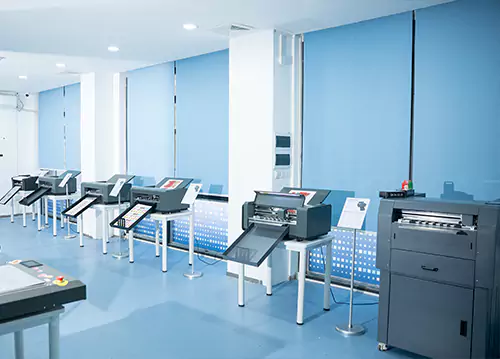
Article Summary: An automatic sheet-fed cutter plotter helps printing businesses, label manufacturers, and packaging suppliers streamline digital finishing with automated sheet feeding, accurate contour cutting, and versatile cutting functions. SKYCUT's A3MAX7 PRO combines brushless servo technology, automatic tool adjustment, vision camera contour cutting, and dual-head cutting and creasing to support efficient short-run production. Understanding its capabilities, material compatibility, and workflow benefits can help businesses select the right cutting solution for consistent quality and improved production efficiency.

1. What Is an Automatic Sheet-Fed Cutter Plotter?
2. How Does the Automatic Cutting Process Work?
3. Which Features Matter Most in Daily Production?
4. What Materials and Applications Can It Handle?
5. What Specifications Should Buyers Compare?
6. How Can Automation Improve Business Efficiency?
7. How Do You Choose the Right Cutter Plotter?
8. How Can You Maintain Cutting Accuracy?
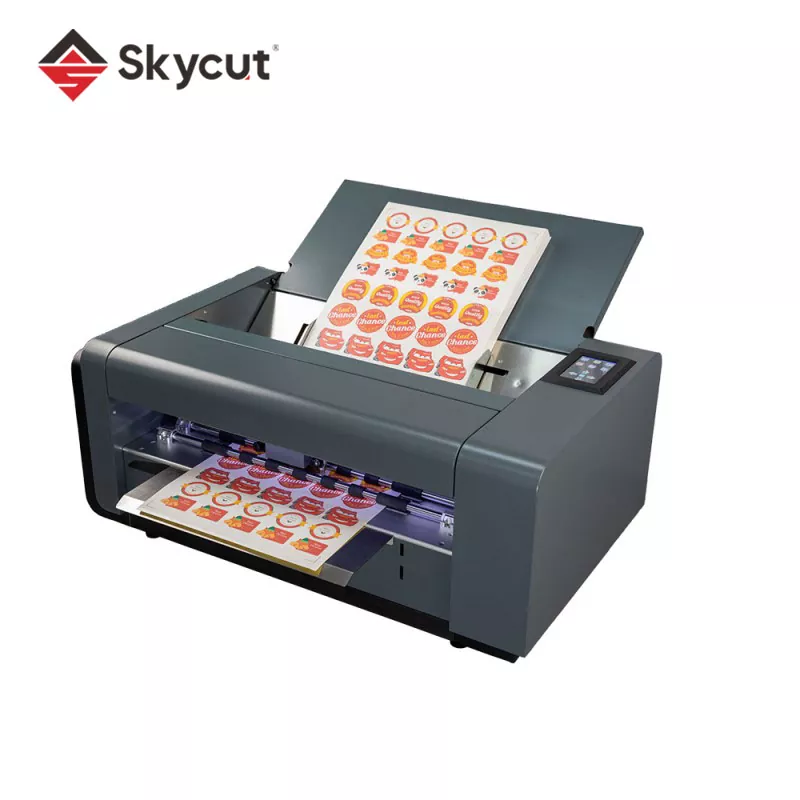
An automatic sheet-fed cutter plotter is a digital finishing machine that feeds individual sheets into a cutting system and processes them according to programmed design files. Unlike manual cutting methods, it automates material handling and follows digital cutting paths to produce repeatable shapes for labels, stickers, cards, and packaging components.
For printing companies and packaging manufacturers, this equipment provides a practical way to handle customized orders, product variations, and short production runs without creating a separate physical die for every design. It is particularly useful when artwork changes frequently or when multiple versions of a product label must be produced in limited quantities.
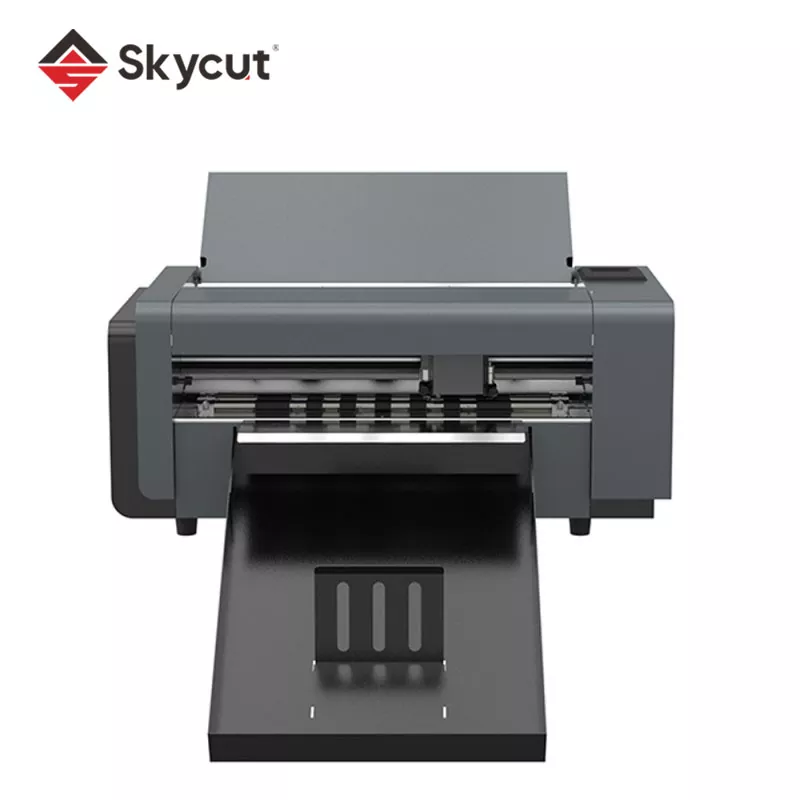
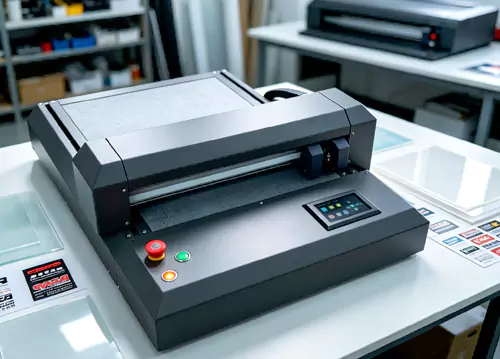
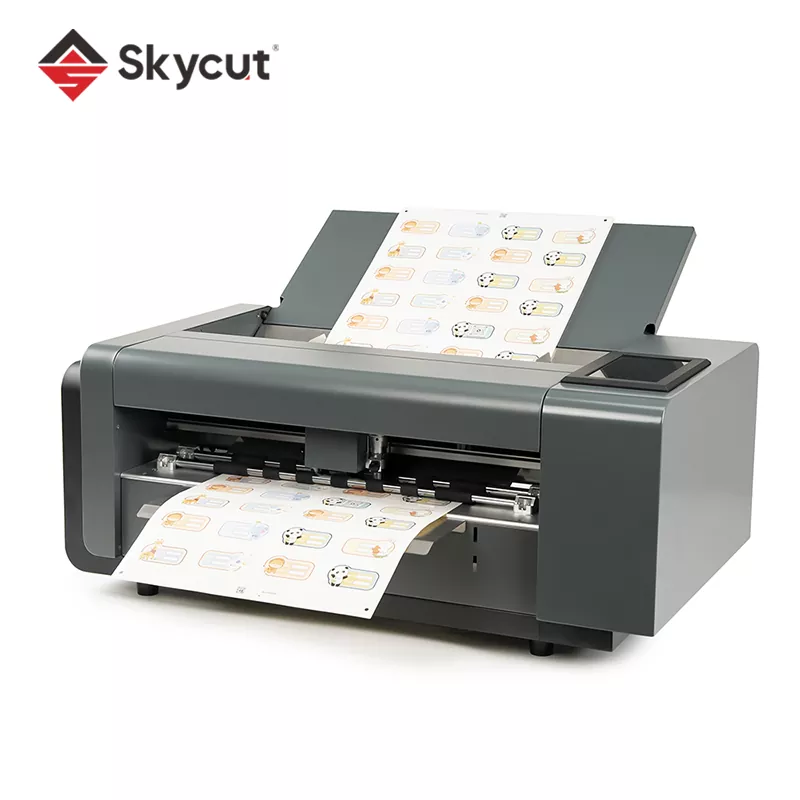
SKYCUT's Automatic Sheet-Fed Cutter Plotter, model A3MAX7 PRO, is designed for digital cutting and finishing applications involving stickers, labels, coated paper, cardstock, and light packaging materials. Its feature set combines automated feeding, vision-based contour recognition, and multiple cutting modes in one production workflow.
The machine is intended for businesses that need flexible digital finishing, especially where precision, repeatability, and quick job changes are important purchasing considerations.
An automated sheet-fed cutting workflow typically consists of four stages: preparing the design, loading the material, aligning the cutting path, and processing the sheet. Understanding these stages helps operators identify opportunities to reduce setup time and improve consistency.
Automation reduces repetitive manual feeding and positioning tasks. However, the final result still depends on material quality, correct blade settings, artwork preparation, and suitable operating parameters. A small test run is advisable before processing a large batch.
When evaluating a commercial cutter plotter, buyers should look beyond headline speed. The most valuable features are those that address actual production bottlenecks, including frequent tool adjustments, inconsistent alignment, material changes, and multiple finishing requirements.
The A3MAX7 PRO uses a brushless servo motor to support smooth, controlled cutting movement. Brushless motor construction eliminates carbon-brush replacement, helping reduce one source of routine maintenance. Actual operating costs will also depend on workload, blade wear, cleaning, and other service requirements.
Automatic blade-length adjustment simplifies setup when changing jobs or working with different materials. It can reduce manual intervention and help operators achieve more consistent cutting results. Correct settings should still be verified against the specific media being processed.
A vision camera identifies printed contours or registration marks to align the cutting path with the printed design. This function is especially useful for irregular sticker shapes, decorative labels, and customized graphics where visual alignment is essential.
The dual-head configuration supports cutting and wheel creasing in the same workflow. For suitable light packaging materials, this can simplify the production of folding lines and cut outlines without transferring every job to a separate finishing machine.
These functions give businesses more flexibility when producing different types of printed products on demand.
The A3MAX7 PRO is designed for sheet-fed digital finishing of materials up to 500 gsm, according to the product information. The actual suitability of a material depends on its composition, thickness, surface properties, stiffness, and the required cutting result. Grammage alone does not determine whether a sheet can be processed successfully.
| Application | Typical Material | Primary Requirement |
|---|---|---|
| Product labels | Coated label stock | Accurate outline cutting |
| Custom stickers | Adhesive-backed sheets | Consistent half cutting |
| Business and promotional cards | Cardstock | Clean edges and repeatability |
| Packaging prototypes | Suitable light carton materials | Cutting and crease alignment |
| Coupons and tickets | Printable paper stock | Controlled perforation or separation |
| Printed graphics | Compatible coated media | Vision-based contour registration |
Before purchasing, confirm that the intended media is compatible with the machine. Buyers should request a sample test when working with unusual coatings, laminated sheets, thick adhesives, or materials that may deform during feeding.
For related equipment, explore SKYCUT's digital cutting solutions to compare sheet-fed cutters, flatbed cutting machines, and other equipment for different production workflows.
Technical specifications help determine whether a cutter plotter matches a particular production environment. For the A3MAX7 PRO, the published product page identifies several key performance features. These should be evaluated alongside application-specific requirements rather than treated as guarantees of finished output.
| Specification | A3MAX7 PRO Product Information | Why It Matters |
|---|---|---|
| Maximum cutting speed | Up to 1,800 mm/s | Indicates the machine's stated maximum movement or cutting speed; actual job throughput varies. |
| Cutting precision | Up to ±0.01 mm | Provides a published precision reference; confirm test conditions and practical tolerances. |
| Motor type | Brushless servo motor | Supports controlled motion and avoids carbon-brush replacement. |
| Cutting configuration | Dual-head cutting and wheel creasing | Supports combined cutting and creasing workflows. |
| Contour recognition | Vision camera | Helps align cuts with printed graphics. |
| Material range | Up to 500 gsm, as specified for suitable materials | Helps buyers assess compatibility with intended paper and light packaging stock. |
| Connectivity | Wi-Fi, USB, and Ethernet | Offers options for transferring production files. |
| Cutting modes | Full cut, half cut, perforation, and dotted-line cutting | Supports different finishing requirements. |
Important purchasing note: Maximum speed and stated precision are different performance measures. They should not be interpreted as proof that every material can be cut at maximum speed with the same accuracy. Ask for a demonstration using your actual artwork and media before making a final investment decision.
Automating sheet feeding and cutting can improve production efficiency in several practical ways. The benefits depend on order volume, the level of manual work being replaced, and how well the equipment integrates with existing printing processes.
To measure the return on investment, compare the current cost per finished sheet with the expected cost after automation. Include labor, setup time, consumables, maintenance, rejected sheets, and equipment depreciation. A machine's maximum cutting speed alone cannot establish its financial return.
Selecting an automatic sheet-fed cutter plotter requires matching its capabilities to your real production needs. A suitable machine should handle your materials, job sizes, accuracy requirements, and expected workload without unnecessary complexity.
For businesses handling many custom designs, contour recognition and flexible job setup may be more valuable than maximum speed alone. For repetitive production, feeding capacity, reliability, and overall cycle time may deserve greater emphasis.
Regular maintenance helps preserve cut quality and reduce avoidable interruptions. A practical maintenance plan should cover both the mechanical components and the production settings that influence cutting results.
When cut quality deteriorates, avoid changing several parameters simultaneously. Check blade condition, media positioning, and design alignment first, then adjust the relevant settings one at a time. This makes troubleshooting more systematic and helps establish repeatable production settings.
It automates the feeding and digital cutting of individual sheets for products such as labels, stickers, cards, coupons, tickets, and light packaging samples. It is particularly useful for customized work and short production runs.
Its listed features include a brushless servo motor, automatic tool adjustment, vision camera contour cutting, dual-head cutting and wheel creasing, and multiple cutting modes. These features support a broader range of digital finishing tasks.
Yes, when the material and job are compatible. Vision camera contour cutting helps identify printed outlines or registration marks so that the cutting path can align with the artwork. Actual results depend on print quality, registration, media handling, and machine settings.
The published product information specifies suitable materials up to 500 gsm. However, grammage is not a universal measure of cuttability. Confirm the exact cardstock type, thickness, and finish with SKYCUT and request a sample test before production.
No. It reduces repetitive sheet-loading tasks, but operators may still need to prepare materials, configure jobs, inspect finished products, replenish the feeder, and perform routine maintenance.
Half cutting typically cuts the top material layer while preserving the release liner, which is useful for peel-off stickers. Full cutting passes through the material to separate individual pieces. Correct blade settings are essential for both processes.
Review the published specifications, then assess practical performance using representative artwork and materials. Maximum speed describes a machine's stated capability, while achievable accuracy and finished output depend on job complexity, media, and operating conditions.
Confirm material compatibility, working dimensions, supported file formats, software requirements, feeding capacity, maintenance needs, warranty coverage, spare-part availability, and technical support. Request a sample test if the machine will process specialized materials.
An automatic sheet-fed cutter plotter can help printing companies, label manufacturers, and packaging suppliers achieve more flexible digital finishing through automated feeding, accurate contour cutting, and versatile processing functions. The SKYCUT A3MAX7 PRO combines brushless servo technology, automatic tool adjustment, vision camera recognition, and cutting and creasing capabilities for suitable short-run applications. Before choosing a machine, evaluate material compatibility, real production throughput, cutting quality, and long-term operating costs against your business requirements. If you are looking for a practical cutting solution for labels, stickers, cardstock, or light packaging samples, explore the SKYCUT Automatic Sheet-Fed Cutter Plotter and contact us to discuss your materials, application requirements, and a suitable configuration for your production workflow.
-